Visual identity is usually the very last thing creators think about, right up until launch week, when you suddenly need six graphics in six different dimensions, and you needed them like five minutes ago.
A successful launch relies on consistency. When your banners, social posts, product mockups, and profile images all match, people take you seriously from the first glance.
If you want a smooth launch without the visual chaos, this checklist breaks down the 10 essential assets to have in place before going live.
And if you’d rather skip the DIY part, you can have a designer build your launch visuals for you.
First, Build a Visual Foundation That Answers “What Should My Brand Look Like?”
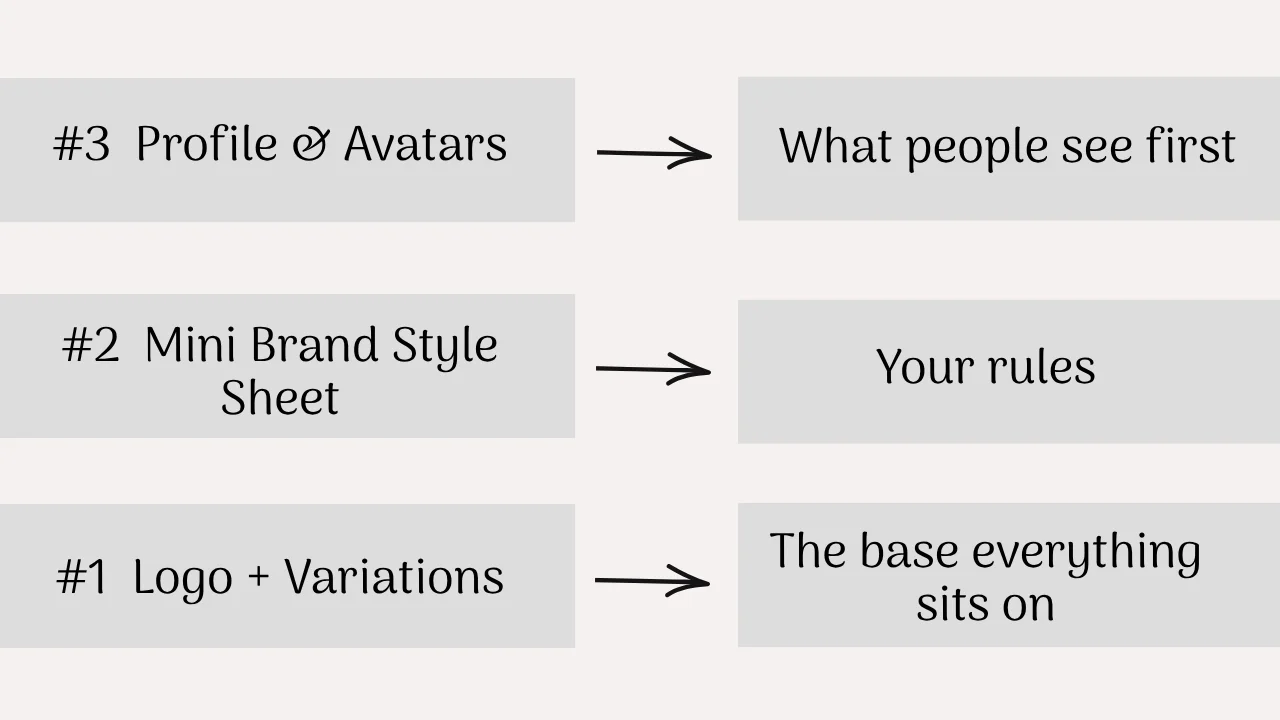
Asset #1: Primary Logo and Logo Variations
One logo file is enough for a small project, but if you want your brand to look more polished and professional, then one logo file won’t be enough for posting in different places.
You’ll need a square profile photo, a wide banner, and a dark-mode newsletter header, all in slightly different versions.
- Primary logo: your main, full-detail version
- Secondary logo: a stacked or horizontal alternative
- Submark or icon: a small version for tiny spaces
- Light and dark versions: so it never gets lost on a busy background
- Transparent files: so you can drop it onto anything
Best for: anyone who’s ever squinted at a logo that looked great on white and vanished on black.
Asset #2: A Mini Brand Style Sheet
You don’t need a 40-page brand book. A single page with your colors, fonts, logo usage rules, and a sentence or two on your visual direction will save you from reinventing decisions every time you open Canva.
Best for: keeping things consistent when you’re tired, rushed, or creating at 11 pm.
Asset #3: Profile and Avatar Graphics
Your profile image is often the very first thing people see, and it shows up on every platform in a slightly different shape and size.
Aim for a consistent background treatment and cropping so you’re recognizable whether someone finds you on LinkedIn, X, or a podcast app.
Best for: creators with faceless brands, where a strong icon does the job a headshot would normally do.
How to brief a designer (even if you have no brand guidelines)
Then, Prepare Your Platforms So People Know Who You Are on Arrival
Asset #4: Platform Banners and Headers
Banners are prime real estate that most people leave as a default gray rectangle. A good one tells visitors what you do within a couple of seconds.
You’ll likely want versions for:
- YouTube
- X
- Your newsletter
Best for: turning a first-time visitor’s glance into a “yes, I’m in the right place” moment.
Prefer to skip the design work?
I'll design your visual assets for you
Polished, launch graphics, social templates, and lead magnets for creators and small businesses.
See the Fiverr gig →Custom design, delivered in days
Asset #5: Content Cover and Thumbnail Templates
Think reusable layouts for YouTube thumbnails, blog post covers, podcast art, Pinterest pins, and Reels covers.
Once a template exists, new content only needs a new title and a swapped image.
Best for: building a recognizable visual style across everything you publish.
If this list is already making you a little tired, you’re not alone, and it’s the reason I design matching banners, covers, and templates for creators so they can skip straight to the part where it’s all done.
Set Up Your Content Machine With Templates Over One-Off Graphics
The goal isn’t to design every post before launch. It’s to make the next 20 posts easier to design.
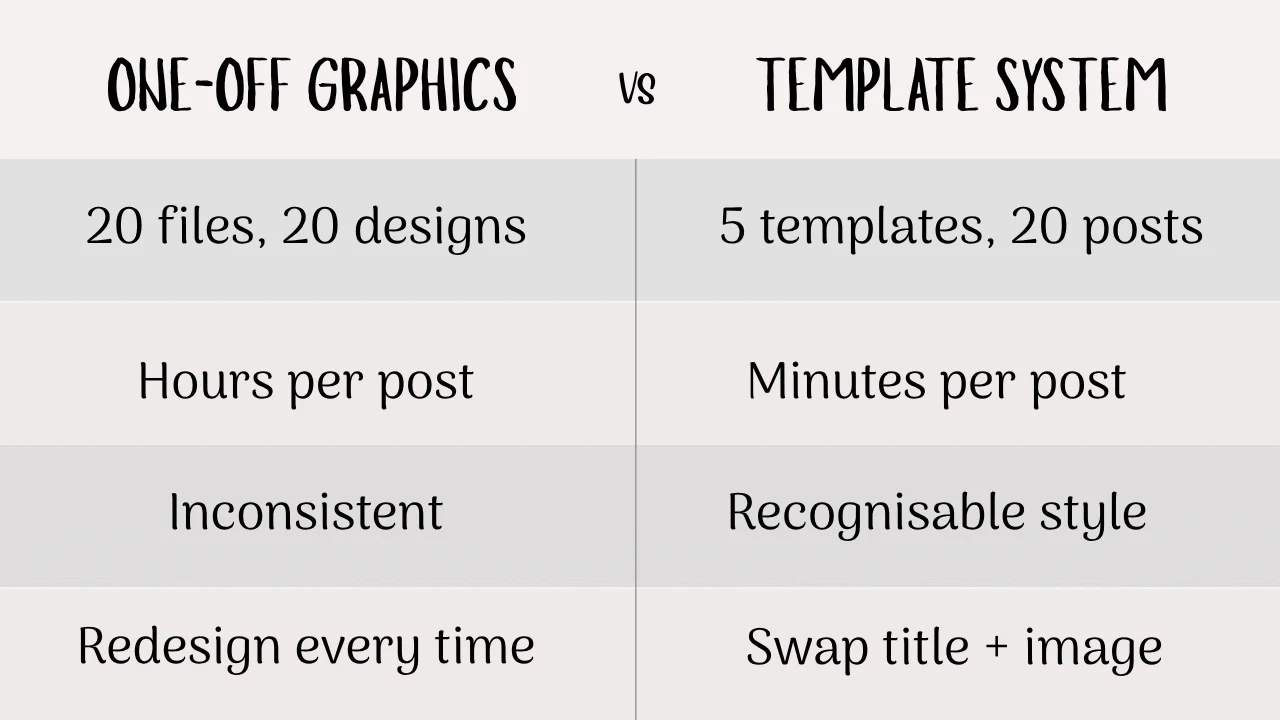
A handful of flexible templates beats a folder full of single-use graphics, because you’ll keep reusing them long after launch week is over.
Asset #6: Social Media Templates
You’ll only need about 6 social media templates to cover the formats you’ll actually use:
- Quote posts
- Educational posts
- Announcements
- Carousels
- Tips
- Promotional posts
Best for: anyone who doesn’t want to spend three hours making a single Instagram carousel.
Asset #7: Launch and Announcement Graphics
These are the pieces that build momentum around the big day: “coming soon” posts, countdowns, launch day graphics, new product or service reveals, and feature highlights.
Best for: creating a sense of buildup rather than a sudden “it’s here” post that nobody saw coming.
Make Your Offer Look Tangible and Worth Paying Attention To
A digital product has one obvious problem: you can’t hold it. Visuals are how you turn an idea into something that feels real, and this section is all about that.
Asset #8: Digital Product and Lead Magnet Mockups
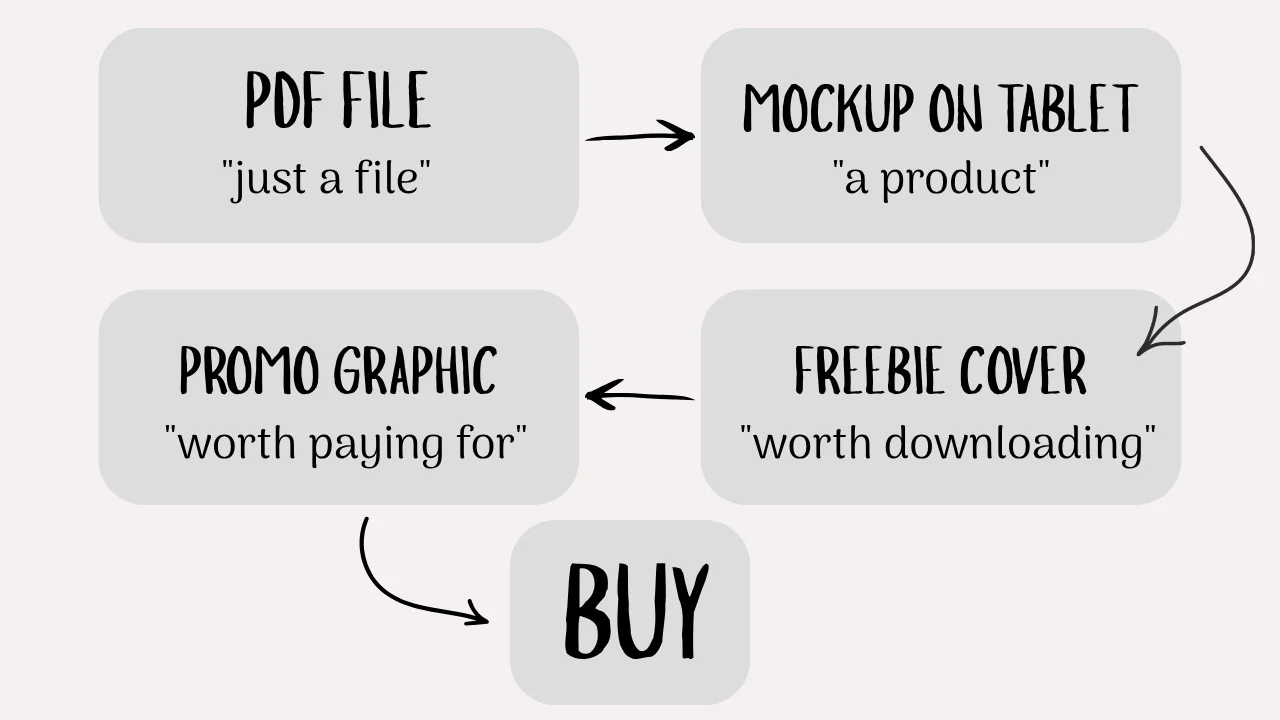
Mockups show your ebook, template pack, course, workbook, or checklist as a real-looking object, whether that’s a cover on a tablet screen or a stack of pages.
Best for: making a PDF feel like a product instead of a file.
Asset #9: Lead Magnet and Freebie Graphics
Your free resource is often someone’s first impression of you, so it deserves to look polished. This covers covers, thumbnails, opt-in graphics, workbook pages, and promo images for the freebie itself.
Best for: growing your email list with something people are proud to download.
Asset #10: Sales and Promotional Graphics
Offer graphics, feature highlights, testimonials, pricing visuals, and call-to-action images all live here.
Best for: the final stretch, when you’re asking people to actually buy.
Getting all 3 of these offer pieces to match the rest of your brand takes real time, so if you’d rather not open a design app at all, it’s worth looking into having your mockups and promo graphics designed for you.
Run a Pre-Launch Visual Audit Before You Hit Publish
A quick way to see where you stand is to ask yourself:
- Does my logo work on both light and dark backgrounds?
- Are my colors and fonts consistent everywhere?
- Do my profile images look like they belong to the same brand?
- Do my banners clearly communicate what I do?
- Can I create a social post without starting from scratch?
- Do my thumbnails and covers have a recognizable style?
- Do I have launch graphics ready to go?
- Can I show my digital product visually?
- Do my free resources have polished covers or mockups?
- Do my promotional graphics match everything else?
If you answered “not yet” to several of these, you don’t necessarily need more content. You may simply need your visual system in place.
A quick recap of how the 10 assets fit together:
| Stage | Assets | The question it answers |
|---|---|---|
| Foundation | Logo, style sheet, avatars | What should my brand look like? |
| Platforms | Banners, covers and thumbnails | What will people see when they find me? |
| Content | Social templates, launch graphics | How do I keep showing up without burning out? |
| Offer | Mockups, freebie graphics, promo graphics | How do I make my offer look worth paying attention to? |
And lastly, get your launch visuals done without doing it all yourself
You now know what needs to be prepared. If you’d rather have someone else create the visual pieces, I’m happy to be the one who designs your launch visuals, so you can focus on the thing you’re actually launching and have everything ready when you are.
Launching doesn’t have to mean a frantic two-day sprint, and it definitely doesn’t have to mean doing everything yourself at the last minute.
A calm, sustainable setup is possible, and it usually starts with getting these basics down once.
If you’d like more practical, no-hustle guides like this one, I’d love to have you in the Desk & Digital newsletter.
You can sign up whenever you’re ready, and I’ll keep sending ideas for building your online work without the burnout.