Ask any writer about their setup, and they’ll usually tell you about their favorite software, their preferred coffee shop, or their exact daily word-count goal. But rarely do we talk about the one physical tool standing directly between our ideas and the page: the keyboard.
I spend more time with my keyboard than almost anything else on my desk. So, if a keyboard feels scratchy, noisy, or uncomfortable, I notice it within minutes, and after a few hours of writing, my hands definitely notice too.
If you’ve ever finished a long writing session with aching wrists or found yourself distracted by stiff, noisy keys, you already know that not all keyboards are created equal. Some laptop keyboards feel shallow after a few hours, while some mechanical keyboards are just too loud.
After researching the keyboards writers consistently recommend and thinking carefully about what actually makes typing enjoyable, I found one that strikes the best balance of comfort, feel, and practicality.
In this guide, I’ll explain what to look for in a writing keyboard, compare some of the most popular options, and share the one I’d choose for long writing sessions.
Best Writing Keyboards at a Glance
If you’re in a rush and just want the short version, here’s a quick table to get you started.
| Keyboard | Best For | Price |
|---|---|---|
| Logitech MX Keys | Most writers | $$$ |
| Aula F75 Pro | Mechanical keyboard lovers | $$$ |
| Logitech K380 | Portability | $$ |
| Rainy75 | Premium creamy typing | $$$ |
| Logitech Keys-To-Go | Travel | $$ |
If you’d like to actually understand why these particular keyboards stand out from the crowd, keep reading, because that’s exactly what we’re getting into next.
How to set up a home office that actually works for you
What Writers Should Look for in a Keyboard
Mechanical vs Membrane
This is usually the first fork in the road when people start shopping for keyboards, and it trips a lot of writers up. Membrane keyboards are the softer, quieter option you’ll find on most laptops and a lot of budget keyboards.
The keys sit on a rubber dome that compresses when you press down, which gives you a softer, more cushioned feel.
Mechanical keyboards, on the other hand, use individual physical switches under each key. Every switch has its own spring and contact point, so the feel tends to be more precise and consistent, and a lot of writers say it’s easier to tell exactly when a keystroke registers.
Here’s what I want to be clear about though: neither one is objectively better. Some writers swear by the tactile bump of a mechanical switch because it gives them a satisfying rhythm while they type.
Others find that same bump distracting and prefer the quieter, softer landing of a membrane board. It really comes down to how your hands like to work, and there’s no shame in preferring the “wrong” one according to the internet.
Sound Matters More Than You Think
This one surprises people, but the sound your keyboard makes while you write can genuinely shape your focus.
There are a few broad categories here: clicky switches (think the loud, satisfying click you hear in a lot of gaming keyboards), tactile switches (a bump you feel without the loud click), and quiet or linear switches that glide down smoothly with barely a whisper.
If you spend any time in keyboard communities on Reddit, you’ll notice a pattern pretty quickly. A lot of writers gravitate toward what people call “creamy” switches, which have become something of a buzzword lately.
These switches are usually lubed linear switches that produce a soft, muted, almost thocky sound rather than a sharp click. The appeal for writers is obvious once you think about it: you want a sound that fades into the background of a long writing session rather than one that keeps announcing itself every single time you hit a key.
Choosing the Right Size
Keyboards generally come in a handful of standard sizes, and each one has its trade offs for writers specifically.
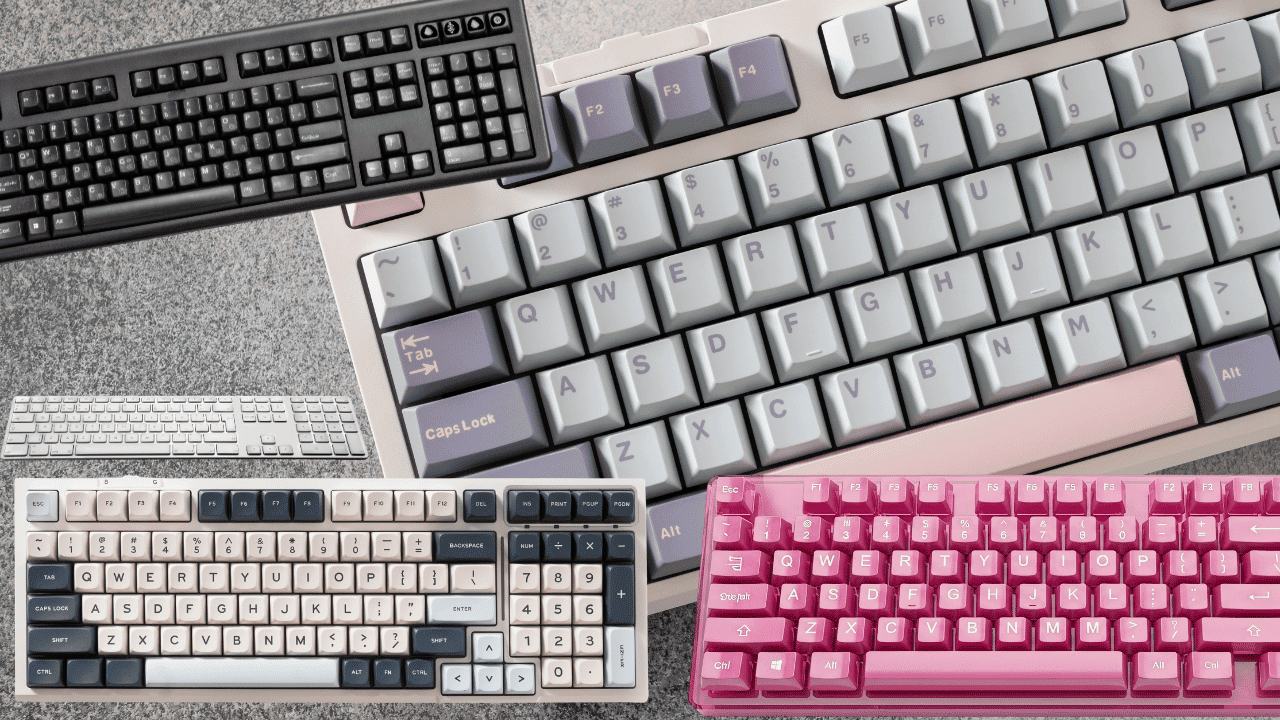
Full-size keyboards include everything, the number pad, the arrow keys, all of it. They’re great if you do a lot of number entry alongside your writing, but they also take up more desk space and put your mouse further from your body, which can strain your shoulder over time.
TKL (tenkeyless) keyboards drop the number pad but keep everything else. This is a nice middle ground for a lot of writers who want a bit more desk space without giving up too much functionality.
75% keyboards shrink things down even further, tightening up the layout while still keeping the arrow keys and a few essential extras. These tend to be popular with people who want a compact, tidy setup without feeling like they’re missing anything crucial.
There’s no universal right answer here. It really depends on how much desk space you have and how much you rely on things like the number pad or dedicated media keys.
Ergonomics
Beyond the switches and the size, ergonomics deserve a real conversation on their own. Key travel (basically how far a key has to move before it registers) affects how much strain builds up in your fingers over a long session.
Wrist position matters too, and a keyboard that forces your wrists into an awkward angle for hours at a time is going to catch up with you eventually, even if you don’t feel it right away.
If you’re someone who deals with wrist or hand discomfort, split keyboards are worth looking into. They let you position each half of the keyboard at a more natural angle for your shoulders and wrists, which can make a real difference if you’re typing for hours at a stretch.
The Main Categories
Once you understand the basics above, it helps to think about keyboards in a few broad categories, because different writers have genuinely different needs.
The Practical All-Rounders
These keyboards prioritize portability, solid battery life, and the ability to switch between multiple devices without much fuss. If you write across a laptop, a tablet, and maybe a desktop, this category is probably where you’ll end up.
Keyboards in this group include the Logitech K380, the Logitech MX Keys, and the Logitech Keys-To-Go. They’re not going to wow you with dramatic mechanical switches, but they’re reliable, comfortable enough for daily use, and built with the practical writer in mind.
The Creamy Mechanical Keyboards
This is the category for people who genuinely enjoy the physical experience of typing, not just the end result of words on a page. These keyboards focus on typing feel, sound, and build quality above almost everything else.
You’ll find keyboards like the Impact 80, the Aula F75 Pro, and the Rainy75 in this group. They tend to cost more, but for a lot of people, that extra cost buys a typing experience that feels genuinely enjoyable rather than purely functional.
Distraction-Free Writing Devices
This last category is a bit of a niche, but worth mentioning. Devices like the Freewrite Traveler and the AlphaSmart Neo aren’t really keyboards in the traditional sense so much as they’re dedicated writing tools built around a keyboard.
They strip away everything else (no browser, no notifications, sometimes barely even a screen) so that writing is genuinely the only thing you can do on them.
They’re not for everyone, but if distraction is your biggest enemy while writing, these devices exist specifically to solve that problem.
My Favorite Keyboard for Writing
My Pick: Aula F75 Pro

After trying a handful of these options over the years, the Aula F75 Pro is the one I keep coming back to, and honestly, the one that’s earned a permanent spot on my desk.
The typing feel is what won me over first. It’s a low-profile mechanical keyboard, meaning the keys sit closer to the deck than a traditional mechanical board, which makes for a more relaxed hand position during long sessions.
Despite the low profile, it still manages to feel satisfying under your fingers rather than flat or lifeless.
The sound is another big part of the appeal. It’s quiet enough that it doesn’t distract me while I’m working through a tricky paragraph, but it still has just enough of that soft, muted click to feel good, rather than feeling like I’m typing on glass.
I’ll admit the design played a role too. It looks clean and modern sitting on a desk, without the aggressive gamer aesthetic that a lot of mechanical keyboards lean into.
And because it’s lightweight, it travels well if I ever want to move my setup to a coffee shop or work from somewhere other than my desk for the day.
Altogether, it hits this sweet spot between the mechanical feel that keeps typing enjoyable and the everyday practicality that a working writer actually needs.
When I sit down to write with it, it genuinely fades into the background in the best possible way, and that’s exactly what I want from a tool I’m using for hours at a time.
If My Favorite Isn’t Right for You
I know a single recommendation doesn’t fit everyone, so here are a few alternatives depending on what you value most.
- If you want maximum comfort at a desk: go with the Logitech MX Keys. It’s soft, quiet, and built for long stretches of typing at a stationary setup.
- If portability is your priority: the Logitech K380 is small, light, and easy to toss in a bag without a second thought.
- If you love premium mechanical keyboards: the Rainy75 is worth a serious look, especially if you want that creamy, satisfying sound and feel without compromise.
Final Thoughts
At the end of the day, there isn’t one perfect keyboard that works for every writer out there, and I don’t think there ever will be. What matters is figuring out what you personally care about most:
- the feel of the keys under your fingers,
- the sound they make,
- how portable you need your setup to be,
- how your wrists hold up after a few hours, and of course,
- what you’re willing to spend.
For me, that answer has been the Aula F75 Pro. It balances comfort, focus, and a genuinely enjoyable typing experience in a way that keeps me coming back to my desk instead of dreading it.