There’s this idea floating around that if a digital product is easy to make, it must not be worth much, like the effort you put into something is somehow the thing that determines whether people will pay for it.
And I get why that idea sticks around, because it feels intuitive, right? More work should equal more value. Except that’s just not how buyers actually think, and it’s definitely not how the numbers play out.
Some of the highest performing digital products out there are things you could genuinely build in an afternoon: a spreadsheet template, a resume layout, a simple planner, a calculator you made with a few AI prompts.
None of these took months to create, and yet plenty of them are still generating sales years after the creator hit publish and moved on to something else.
So if you’ve been holding off on starting because you assumed you needed something massive and complicated to actually make money, I want to gently push back on that assumption today.
Low Effort Doesn’t Mean Low Quality
Before we get into the actual list, I want to clear something up, because “low effort” can sound a bit like a shortcut or a get-rich-quick angle, and that’s not what we’re talking about here.
When I say low effort, I mean products that take relatively little time to build, don’t require any specialized technical skill, need almost no customer support once they’re live, and don’t demand much upkeep after launch.
They’re the kind of thing you design once, upload once, and then the platform handles delivery from there while you go about your life.
A low-effort product still needs to solve a real problem; it still needs good design and clear packaging, and it still needs to actually work for the person who buys it.
The effort just goes into the thinking rather than the building, and that’s a much more sustainable way to build a digital product business anyway (which, if you’ve read anything else on this blog, you know is kind of our whole thing here).
The Four Traits That Actually Make Something Low Effort
Since “low-effort and high-demand” digital products are the best ones you can create, we need a way to evaluate any product idea to know if it fits in this category.
Thankfully, this is very easy, and we just need to answer a few questions. A digital product idea qualifies as low-effort, high-demand if it:
- Has a relatively short creation time
- Doesn’t require any technical skills you don’t currently have
- Gets used repeatedly
- It’s relatively easy to maintain
It has a short creation time.
You should be able to build a genuinely low-effort product in hours or days, not months. If you’re three weeks into building something and you’re still not done, that’s usually a sign the idea has scope creep, not that the category itself is hard.
It doesn’t require specialized technical skill.
Canva, Google Sheets, Notion, Word, or a simple AI prompt should be enough. If you find yourself needing to learn to code or hire a developer, you’ve probably wandered outside the low-effort category entirely, even if the idea itself is a good one.
It’s low maintenance once it’s live.
There’s no shipping, no inventory, and ideally very little customer support required after someone buys it. You built it, they bought it, they can use it, and you’re not fielding messages about it every other day.
It gets used again and again, not just once.
This one matters more than people realize. Templates, trackers, and planners tend to get opened repeatedly, which means people actually finish using them, which means they’re far more likely to buy them again, leave a good review, or recommend it to someone else.
Compare that to a one-time guide that gets skimmed once and then forgotten, and you’ll start to see why some categories consistently outperform others.
Build Once, Sell Forever: The Templates That Just Keep Working
This first group of products is the safest place to start if you want proof that the low-effort approach actually works, because you build the thing once, upload it, and every single sale after that gets delivered automatically without you lifting a finger.
Spreadsheet Templates Are Boring, Which Is Exactly Why They Sell
Budget trackers, debt payoff calculators, meal planners, project dashboards, these are about as unglamorous as digital products get, and that’s kind of the point.
People aren’t buying these because they’re exciting, they’re buying them because they solve a specific, repetitive annoyance in their life and they’d rather pay a small amount than build the thing themselves from scratch.
Here’s a number that puts this into perspective: one $12 spreadsheet template on Etsy has over 1,100 reviews, and since most buyers don’t actually leave a review, the real sales number is almost certainly much higher than that.
Even using the review count as a conservative floor, that’s roughly $13,000 in revenue from a single listing that was probably built in an afternoon.
Spreadsheet Templates
- Difficulty: ⭐⭐☆☆☆
- Demand: ⭐⭐⭐⭐⭐
- Maintenance: Very easy
- Typical price: $9–29
- Best marketplaces: Etsy, Gumroad
- Best for: Freelancers, students, small business owners
- Time to build: 2–6 hours
Notion Templates Charge More Because They Solve More
If a spreadsheet solves one specific problem, a Notion template usually solves a whole workflow, and that’s exactly why buyers are willing to pay more for it.
Think content systems, habit trackers, client CRMs, or a full “second brain” setup. You’re not selling a single tracked number anymore, you’re selling an entire organizational system that someone would otherwise have to piece together themselves over several frustrating weekends.
Notion Templates
- Difficulty: ⭐⭐⭐☆☆
- Demand: ⭐⭐⭐⭐☆
- Maintenance: Easy
- Typical price: $19–79
- Best marketplaces: Notion Marketplace, Etsy, Gumroad
- Best for: Productivity-focused buyers, coaches, small teams
- Time to build: 1–3 days
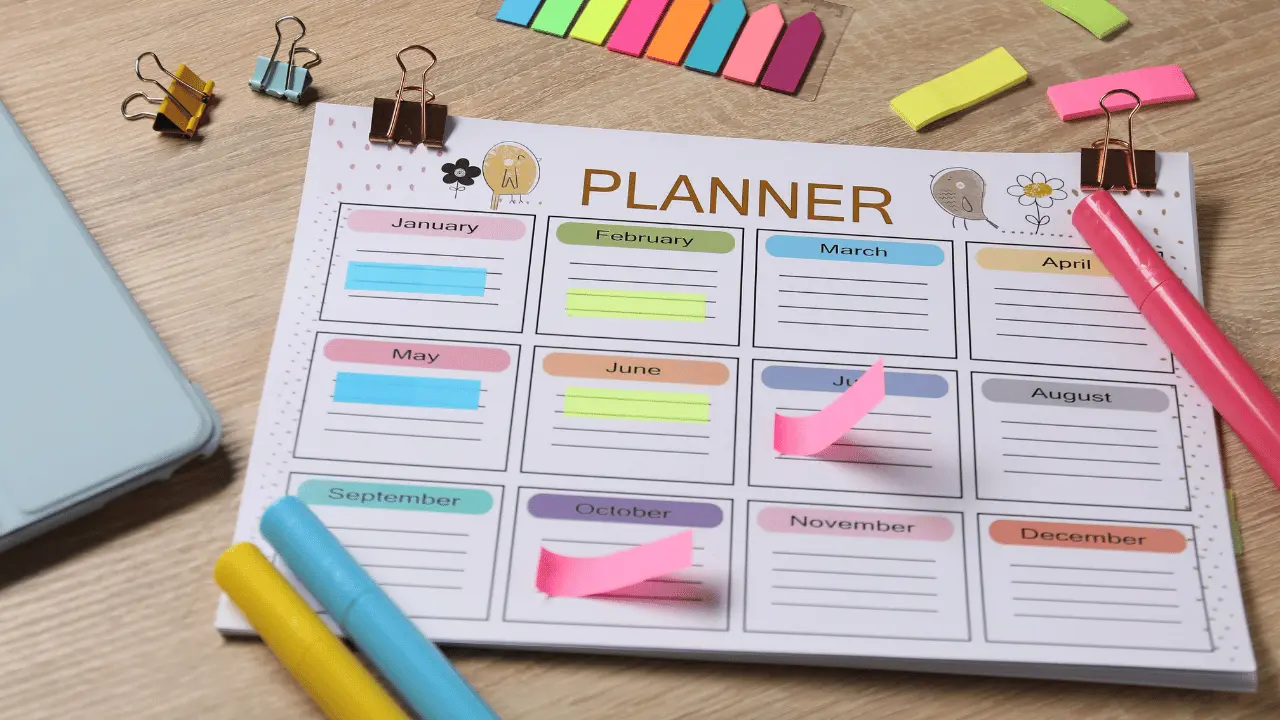
Digital Planners and Printables Have Their Own Little Trends
ADHD planners, homeschool printables, wedding planning templates, guided journals, devotionals, this category is enormous, and it’s also one of the more niche-friendly ones on this whole list.
Etsy in particular seems to reward getting specific here: a guided journal aimed at a particular life stage or challenge tends to outperform a generic “daily journal” that could be for literally anyone.
Digital Planners & Printables
- Difficulty: ⭐⭐☆☆☆
- Demand: ⭐⭐⭐⭐☆
- Maintenance: Very easy
- Typical price: $4–49
- Best marketplaces: Etsy
- Best for: Students, parents, journaling and self-care audiences
- Time to build: 1–3 days
Canva Templates Have Built-In Traffic Working For You
Canva templates (things like Instagram posts, Pinterest pins, presentation decks, and LinkedIn carousels) sell so consistently well because Canva itself is just an incredibly easy platform to design on, even if you’ve never touched a design tool in your life.
Between the huge library of elements and photos, the endless list of fonts, and the genuinely generous stash of free, professionally made templates already built into the platform, it doesn’t take much to put together something eye-catching.
Small business owners and creators are already living inside Canva every day for their own content, so when they come across a bundle that fits their brand and saves them from staring at a blank page, it’s an easy yes.
One shop selling templates in the $2.50 to $4 range has racked up over 11,000 sales, which puts them somewhere north of $35,000 in revenue from templates they made once and never had to touch again.
The one thing to keep an eye on here is that design trends move, so a template set that looked fresh two years ago can start to feel dated pretty quickly.
That’s a small, manageable form of maintenance, not a dealbreaker, but it’s worth knowing going in (and honestly, it’s a big part of why we keep refreshing our own bundles here at Medusa Studio rather than treating a launch as a one-and-done thing).
Canva Templates
- Difficulty: ⭐⭐☆☆☆
- Demand: ⭐⭐⭐⭐⭐
- Maintenance: Easy
- Typical price: $2.50–$49 (single templates to full bundles)
- Best marketplaces: Etsy, Gumroad, Creative Market
- Best for: Small business owners, social media managers, content creators
- Time to build: 2–3 days
Resume and CV Templates Never Really Go Out of Style
No matter what’s happening in the economy, no matter how AI changes hiring, people still need to apply for jobs, and they still need a clean, professional-looking resume to do it with.
That kind of steady, boring, recession-proof demand is honestly a beautiful thing when you’re picking a product to build. Bundling in a matching cover letter and reference page tends to boost the price nicely too.
One shop selling a $50 bundle is doing roughly 200 sales a month, which works out to about $10,000 in monthly revenue.
The small catch with this category is that applicant tracking systems occasionally change how they read resumes, so you’ll want to check every so often that your templates still pass through those systems cleanly.
Resume & CV Templates
- Difficulty: ⭐⭐☆☆☆
- Demand: ⭐⭐⭐⭐☆
- Maintenance: Moderate (needs occasional updates to stay ATS-friendly)
- Typical price: $9–50
- Best marketplaces: Etsy, Gumroad
- Best for: Job seekers, career changers, recent graduates
- Time to build: 1–2 days
So why does this whole category work so consistently well? It comes down to the same pattern every time: these products solve something people run into over and over, they save real time, they barely need any upkeep once they’re live, and they’re easy to sell on marketplaces that already have buyers actively searching for exactly this kind of thing.
Mini AI Tools Are the New, Slightly Underrated Category
Here’s something that’s changed a lot even in the last year or so: templates aren’t the only low-effort category anymore, because AI has quietly opened up a whole new lane that most creators haven’t caught onto yet.
I’m talking about small, single-purpose tools, things like a freelance pricing calculator, a wedding budget calculator, a simple invoice generator, or a content idea dashboard.
What’s genuinely exciting about this category is that most of these can be built entirely through AI prompts, no coding background required at all, which means the barrier to entry is almost nonexistent right now.
What makes this category feel different from templates is that fewer people are building these yet, so there’s less noise to compete with, and buyers tend to perceive an interactive tool as more valuable than a static file, even when the actual problem it solves is roughly the same size.
There’s really only one rule that matters here, and it’s worth repeating: pick one tool for one problem.
- Build a freelance invoice calculator, not an entire freelancer operating system with six features bolted together.
The moment you try to solve everything at once, you overwhelm the person using it, and honestly, you overwhelm yourself while building it too.
Mini AI Tools / Apps
- Difficulty: ⭐⭐☆☆☆
- Demand: ⭐⭐⭐☆☆ (emerging, low competition right now)
- Maintenance: Easy
- Typical price: $9–99
- Best marketplaces: Gumroad, your own website
- Best for: Niche professionals with one clear, recurring problem
- Time to build: Under an hour to a few hours
The Ebook Debate (Yes, It’s Complicated!)
If you’ve spent any time researching this topic yourself (or experimented with selling ebooks), you’ve probably run into two completely opposite opinions on ebooks.
Some experienced sellers swear by them and credit ebooks with genuinely changing their financial life. Others will tell beginners to avoid them entirely because the market’s gotten too crowded. And they’re both right, just about different situations.
Ebooks still work when there’s real substance or a real audience behind them. Amazon’s KDP program handles the printing, distribution, and even the customer service for you, which is honestly a huge deal, because that’s usually the part of running a physical adjacent product that eats up all your time.
A focused book that promises one clear, specific outcome, something like “speak conversational Spanish fast,” tends to massively outperform a vague, broad book that tries to cover everything about a topic.
Ebooks / Learning Guides
- Difficulty: ⭐⭐⭐☆☆
- Demand: ⭐⭐⭐☆☆ (crowded, needs a real angle or an audience behind it)
- Maintenance: Very easy
- Typical price: $4.99–24.99
- Best marketplaces: Amazon KDP, Etsy, Gumroad
- Best for: Creators with an existing audience, or real firsthand experience with the topic
- Time to build: 1 day to 1 week
Beginners often struggle because the market’s been flooded with AI-generated ebooks that all sound the same. People have gotten burned buying something that turned out to be generic AI output dressed up with a nice cover, and once someone’s been burned like that, trust in the whole format takes a hit.
That shows up as lower completion rates, fewer reviews, and fewer sales, because you don’t have the social proof you need to convince the next buyer.
So here’s the reframe I’d actually offer you: stop thinking of the ebook as the finished product, and start thinking of it as one asset that can exist in multiple formats.
The exact same content can become
- an ebook,
- a print-on-demand paperback (no inventory required, and it tends to feel more valuable to buyers just because it’s something they can physically hold),
- and an audiobook through a platform like ACX, which taps into a format that’s genuinely growing fast because people love listening while they commute or work out.
Print on Demand Paperbacks
- Difficulty: ⭐⭐☆☆☆
- Demand: ⭐⭐⭐⭐☆
- Maintenance: Very easy
- Typical price: $12–25
- Best marketplaces: Amazon KDP
- Best for: Creators repurposing content from an ebook they’ve already written
- Time to build: A few hours, once the ebook itself exists
One real example that makes this pattern really clear is the same book can be earning around $100 a day as an ebook, roughly $500 a day as a paperback, and about $50 a day as an audiobook. Same content, three separate income streams, built from one piece of work.
The real takeaway here isn’t “avoid ebooks” or “definitely make an ebook.” It’s to build one genuinely valuable piece of content, and then let it live in more than one format.
Audiobooks
- Difficulty: ⭐⭐⭐☆☆
- Demand: ⭐⭐⭐⭐☆ (a fast-growing format)
- Maintenance: Very easy
- Typical price: $9.99–19.99
- Best marketplaces: ACX / Audible
- Best for: Creators repurposing content from an ebook they’ve already written
- Time to build: A few days for narration and production
The Products That Are Easy to Start and Harder to Sustain
I want to draw a clear line here, because everything we’covered so far has been what I’d call a build-once product.
This next category is genuinely different, and I think it’s important to be upfront about that instead of pretending every digital product behaves the same way. These things are easy to launch, but unlike a spreadsheet template, they need ongoing involvement from you after the fact.
Communities have gotten a lot easier to start than they used to be. Platforms like Skool have lowered the barrier significantly, partly because they come with their own built-in discovery, meaning people can find your community just by being active on the platform itself, and partly because you genuinely don’t need a huge library of content ready before you open the doors.
Some of the most successful communities launch with just a couple of discussion threads asking members what they actually want to see, and then the community essentially builds its own content from there.
Just know the tradeoff going in: very little effort is required before launch, but real, ongoing effort is required after it, since a community only stays alive if you keep showing up.
Communities / Memberships
- Difficulty: ⭐⭐☆☆☆ (to launch)
- Demand: ⭐⭐⭐⭐☆
- Maintenance: Ongoing
- Typical price: $9–49/month
- Best marketplaces: Skool
- Best for: Creators who want recurring revenue and real-time feedback from their audience
- Time to build: A few hours to launch, but two weeks or more to gain real traction
Mini courses have quietly replaced the old, bloated flagship course model. People just don’t have the attention span anymore for a 20-module course that costs $500 to $1000, and honestly, most of them didn’t finish those old-style courses anyway.
What’s working now is short, specific, single-outcome content that someone could realistically binge in under an hour, taught from something you’ve genuinely lived through yourself rather than something you learned secondhand and are now repeating.
Workshops and masterclasses fall into this same bucket, and you can sell them live and then resell the replays afterward too.
Mini Courses / Workshops / Masterclasses
- Difficulty: ⭐⭐⭐☆☆
- Demand: ⭐⭐⭐⭐☆
- Maintenance: Moderate (occasional content updates)
- Typical price: $49–499
- Best marketplaces: Skool, Gumroad, Teachable
- Best for: People with real firsthand experience solving one specific problem
- Time to build: Two weeks or more
So, Which One Should You Actually Start With?
Honestly, this is the question that matters more than any revenue number I’ve thrown at you so far, because the “best” product on paper is completely useless to you if it’s not something you’ll actually finish.
| If you… | Start with… |
|---|---|
| Enjoy design | Canva templates |
| Love organizing things | Spreadsheet templates |
| Already live inside Notion | Notion templates |
| Genuinely like writing | A focused ebook |
| Have real expertise in something specific | A mini course |
| Want recurring, predictable revenue | A community |
| Enjoy experimenting with AI tools | Mini apps |
I’ll say this as plainly as I can: the best product for you isn’t necessarily the highest earning one on this list, it’s the one you’re actually capable of finishing and putting out into the world.
Please, Validate the Idea Before You Build Anything
I know this section might feel like it’s slowing you down right when you’re excited to go build something, but skipping this step is genuinely the most common reason low-effort products fail to sell.
Start by searching Etsy, Gumroad, and Amazon for the exact idea you’re considering. If you find multiple sellers already doing well with it, that’s not a red flag telling you the space is too crowded, it’s actually proof that people are already paying for this kind of thing.
Read through the reviews on those existing products too, because that’s where you’ll find complaints and gaps you could genuinely fill better than what’s currently out there.
Pay attention to what people are actually charging, since if nobody seems to be charging for something similar, that’s usually a sign buyers don’t expect to pay for it at all.
And try to match the product type to the niche itself:
- recipes and how tos tend to suit ebooks,
- systems and habits tend to suit templates,
- deep expertise tends to suit courses,
- and ongoing support tends to suit a community.
Here’s the line I’d want you to walk away remembering: competition usually means demand. It’s the complete absence of competitors that should actually make you nervous, because that usually means there’s a lack of buyers, not a hidden opportunity waiting for you.
Where to Actually Sell the Thing Once You’ve Made It
| Platform | Best for |
|---|---|
| Etsy | Templates, planners, printables |
| Gumroad | Audience-first creators |
| Payhip | Simple, direct selling |
| Amazon KDP | Ebooks and paperbacks |
| ACX | Audiobooks |
| Skool | Communities |
Most creators who end up building something sustainable aren’t relying on just one platform. They tend to combine a discovery platform (something like Etsy or Creative Market, where buyers are already searching) with their own email list for repeat customers.
The Mistakes That Trip Up Almost Everyone Starting Out
Building before validating is probably the most common one, and it usually looks like creating something you personally think is a great idea rather than something you’ve actually confirmed people want to buy.
Trying to solve too many problems at once is a close second. One focused, well-executed outcome will almost always outperform five mediocre features crammed into a single product.
Choosing a niche that’s too broad is sneaky because it feels safer, but it’s actually the opposite. “Budget tracker” is going to get lost in a sea of identical listings, while “budget tracker for freelancers with irregular income” immediately tells the right person that this was made specifically for them.
Launching too many products too quickly spreads your energy thin before any single one has a chance to actually build momentum. One genuinely excellent product will usually outperform ten average ones every time.
Ignoring presentation is easy to overlook when you’re excited about the content itself, but clean previews, clear instructions, and organized files genuinely change how valuable a product feels to the person who just paid for it.
And finally, treating launch day as the finish line rather than the starting point. Reviews will tell you exactly what to improve or add next, so think of your first version as a draft you’ll keep refining, not something you’re done with the moment it goes live.
The Actual Point of All This
If there’s one thing I hope you take away from this whole article, it’s that the biggest opportunity right now isn’t building the biggest, most impressive product you can think of.
It’s building the smallest possible product that solves one recurring problem really, really well. People don’t buy digital products because they’re long or comprehensive. They buy them because they’re genuinely useful to their specific situation.
So pick one category from this list, actually validate it before you touch Canva or Google Sheets, finish the thing, and then improve it based on what real customers tell you once it’s out in the world.
You don’t need 5 digital products to build a digital business. You need one useful product that people actually want, and the confidence to publish it.