This post contains affiliate links. If you purchase through them, I may earn a small commission at no extra cost to you.
You don’t need expensive gear to look professional
If you’ve been putting off posting your first video because you don’t have a “real” camera, some fancy lighting kit, or a proper studio, you are far from alone.
So many people delay starting because they’ve convinced themselves they need to buy their way into looking professional first.
The truth is, most of your audience isn’t going to notice or care whether you filmed on a $2000 camera or the phone that’s already sitting in your pocket.
What they will notice is:
- lighting that makes you hard to see,
- audio that sounds muffled or far away,
- a background that pulls their eyes away from you,
- and footage that shakes every time you move.
Those four things shape how “professional” a video feels far more than the price tag of your gear ever will.
This guide is here to walk you through what actually matters, what’s worth buying (and what you can skip entirely for now), and how to put together a genuinely solid setup for less than $100.
And if you can’t spend anything right now, that’s fine too: there’s a lot you can improve for free before you ever open your wallet.
What you already own is probably enough to start
Before you add a single thing to your cart, it’s worth taking stock of what’s already within reach.
- Does your phone shoot in 1080p or 4K?
- Is there a window nearby that lets in decent natural light during the day?
- Do you own a pair of earbuds with a built-in microphone?
- Could you stack a few books to hold your phone steady instead of buying a tripod right away?
- Is there a lamp somewhere in your home you could borrow for an evening?
Most creators are surprised by how much better their videos look once they simply use what they have more intentionally.
Moving a few feet closer to a window, tidying up whatever’s behind you, or paying more attention to your audio setup will usually improve your videos more than swapping in a nicer camera would.
Gear upgrades matter most once you’ve actually hit a real limitation like your audio picks up too much background noise, your lighting shifts unpredictably throughout the day, or your phone just won’t hold still no matter what you prop it on.
Until then, the fundamentals are where the real progress happens.
How to set up a home office that actually works for you
4 things your viewers actually notice (and everything else is optional)
It helps to stop thinking in terms of gear altogether and instead ask yourself four simple questions before you hit record:
- can people see you clearly,
- can they hear you clearly,
- does the shot look like you meant to set it up that way,
- and does the camera stay out of the way instead of drawing attention to itself?
Every dollar you eventually spend should go toward improving one of those four things. If it doesn’t, it’s probably not worth buying yet.
A clean frame says more than you think
Composition is one of those things people underestimate, but a cluttered or distracting background is one of the fastest ways to make a video feel amateur, even if everything else about it is great.
So start by clearing out anything in the frame that doesn’t need to be there and choosing a background that’s simple rather than busy.
Distance matters too. Sitting just 3 to 6 feet away from the wall behind you adds a surprising amount of depth to your shot and keeps things from looking flat.
From there, think about where the camera actually sits.
You can place it at eye level rather than looking up or down at you, use the rule of thirds instead of centering yourself dead in the middle of the frame, and double-check that your vertical lines (door frames, walls, bookshelves) are actually straight.
These are small adjustments, but together they’re the difference between a shot that looks accidental and one that looks intentional.
Recommended budget tripods
Best overall: Sensyne 62“ Phone Tripod
Approx. price: $18 to $20

This one earns the top spot mostly because it grows with you. It extends all the way up to 62 inches, which means you can actually get your phone up to eye level whether you’re sitting or standing, and it rotates a full 360 degrees so switching between vertical and horizontal shots takes seconds rather than a full reset.
It comes with a Bluetooth remote too, so you can start and stop recording without walking back and forth to your phone every time, and the phone holder itself is wide enough to fit almost any phone on the market, along with a standard screw mount if you ever want to attach a different camera down the line.
For something under $20, it covers an enormous amount of ground.
Best budget pick: Amazon Basics 60“ Tripod
Approx. price: $16 to $18

If you want something dead simple that just works, this is it. It’s light enough to carry around without thinking about it, and setting it up or folding it away takes seconds rather than turning into a whole production.
It comes with a small case, two built-in bubble levels so you can actually tell when your shot is straight, and a head that tilts and swivels for both portrait and landscape framing.
This isn’t going to hold up under heavy professional use, and the head takes a little muscle memory to get used to, but for casual recording at home, it’s a genuinely solid, no-fuss option that won’t let you down.
Best for small spaces and travel: UBeesize Phone Tripod
Approx. price: $20 to $25

This is the pick if you’re likely to be filming in more than one spot, whether that’s different rooms in your home or different locations entirely.
It’s built from sturdier materials than most tripods in this price range, so it feels more substantial and stable once your phone is mounted, and the legs open to whatever width you need, so you can either keep it compact or widen the base for extra stability depending on the situation.
It also comes with a cold shoe mount, which basically means you can clip a small light or microphone onto the tripod itself instead of buying separate stands for everything.
The one thing worth knowing is that it doesn’t collapse down quite as small as some travel tripods, so it might poke out of a backpack a little, but if you’re setting it up and leaving it in place rather than constantly packing and unpacking, that trade-off is barely worth mentioning.
Good lighting is the cheapest transformation you can make
If there’s one area where a small investment pays off disproportionately, it’s lighting.
Start with your environment:
- turn off harsh overhead lights,
- block out any direct sunlight that’s creating hot spots,
- and aim for lighting that stays consistent rather than shifting as clouds pass or the sun moves across the sky.
Once your environment is under control, think about where your main light source sits. And position it at roughly a 45-degree angle, at eye level, with a soft rather than harsh quality, as this will flatter almost anyone.
If your only light source is a bare LED bulb, diffusing it makes a huge difference; an old white bedsheet, a shower curtain, or an inexpensive diffuser panel will all soften harsh light without costing much of anything.
Once you’ve got your key light sorted, adding a fill light, a hair light, or even a small RGB accent light in the background can give your footage a sense of depth that a single flat light source just can’t.
It’s worth saying a word about ring lights here too, since they’re often the first thing beginners buy. They tend to flatten out facial features and create obvious circular reflections in glasses, which is why a lot of experienced creators actually prefer soft LED panels, since they tend to look more natural and are more forgiving to work with.
Recommended budget lights
Best overall: Neewer 9“ LED Video Light Panel
Approx. price: around $47

This little panel does a lot for the price. It gives off a soft, even light that’s genuinely flattering on skin, and because you can adjust both the brightness and the color temperature, you can match it to whatever room you’re filming in rather than being stuck with one look.
It comes with its own small tripod, so there’s no need to buy a separate stand just for your light, and it runs on a rechargeable battery that lasts around an hour and a half, which is plenty for most recording sessions.
It’s also small enough to clip onto a camera or a second stand later if you want to use it as a fill or hair light instead of your main source. For most beginners, this is the single light worth spending a bit more on.
Best single light option: Torsium 12“ LED Light
Approx. price: around $30

If you just need one dependable light and nothing fancy, this covers the basics well.
It’s genuinely bright, bright enough that some people find it a little intense at first in a smaller room, but it’s fully dimmable, so you can bring it down to whatever feels comfortable.
It also lets you shift between a few different color temperatures with a simple switch, so you’re not locked into one look regardless of the time of day.
Installation is about as straightforward as it gets, and it sips power compared to older-style bulbs while still putting out plenty of brightness, so it’s a reliable, low-effort choice for a bedroom or small office setup.
Best accent light: RGB Sunset Projector
Approx. price: $15 to $20

This one isn’t doing the heavy lifting of lighting your face, but it adds a surprising amount of polish to your background for very little money.
It projects a soft, colorful glow onto the wall behind you, and you can control the color and brightness right from an app, so it’s easy to set the mood without fiddling with buttons. It comes with its own small tripod and is genuinely portable, so it’s easy to bring along if you’re filming somewhere other than your usual spot.
It’s not essential by any means, but once your key lighting and audio are sorted, this is a fun, low-cost way to make your background feel a little more intentional and cinematic.
Already have lamps?
Before you buy anything, it’s worth trying a regular desk lamp with a daylight LED bulb, softened with a white bedsheet or cheap diffuser. Good technique will often get you further than gear.
Your audio matters more than your video
This one surprises people every time, but viewers will forgive footage that looks a little rough far more readily than they’ll forgive sound that’s hard to listen to.
If someone has to strain to understand you, they’ll click away long before they’d ever be bothered by so-so lighting.
You’ve got options at every budget level here. On the very low end, a wired lavalier mic under $10 is already a noticeable step up from your phone’s built-in mic.
Moving up to the $25 to $35 range gets you into wireless microphones, which let you move around without worrying about a cable. And if you want the best value for your money, there are wireless options that punch well above their price point in terms of sound quality and reliability.
Beyond the mic itself, your room plays a bigger role than most people realize.
Hard, empty rooms create echo, while rugs, curtains, pillows, and blankets all absorb sound and soften it.
And recording in a smaller room, somewhat counterintuitively, often sounds better than a large open one, simply because there’s less space for sound to bounce around in.
Recommended budget microphones
Best overall: Hollyland Lark A1
Approx. price: around $35

People who upgrade to this mic tend to describe the jump in almost the same way: “going from their phone’s built-in mic to this feels like night and day.”
The sound comes through clear and natural, without that thin, distant quality phone audio usually has, and because it’s wireless, you’re free to move around while you talk instead of staying tethered to one spot.
Setup is about as simple as it gets: clip on the transmitter, connect the receiver, and you’re recording within a minute or two.
It also comes with a small charging case, so you’re not stuck rummaging for a cable every time you need to charge it, and plenty of people end up using it for video calls as well, since it makes a noticeable difference there too.
And for the price, it’s hard to beat.
Best value wireless: PQRQP Wireless Mic
Approx. price: $25 to $30

This is a great pick if you want wireless freedom without spending quite as much. It connects to phones, tablets, and most laptops in seconds, and the audio quality genuinely surprises people who expect a budget mic to sound thin or tinny.
Because there’s no cable involved, you can move naturally while you talk instead of worrying about staying within reach of your phone, and the range is generous enough that you won’t run into dropouts just by walking across a normal-sized room.
It’s an easy, low-fuss way to get real wireless audio without a big investment.
Best under $15: Wireless Lavalier Lapel Mic
Approx. price: around $13

If your budget is genuinely tight right now, this is a perfectly reasonable place to start. It’s plug-and-play, so there’s no app or Bluetooth pairing to fuss with: you plug the receiver in, clip on the mic, and it connects automatically.
The battery lasts around five hours on a short charge, which is more than enough for most recording sessions, and the sound quality is a clear step up from your phone’s built-in mic, even if it doesn’t quite match the wireless options above.
For the price, it’s a genuinely smart way to fix your weakest link without spending much at all.
Already own wired earbuds?
Plenty of wired earbuds include a mic that’s better than your phone’s built-in one, especially in a quiet room. It’s worth testing what you already own before spending anything.
A few camera settings do more than a new camera would
Before you think about upgrading your camera at all, it’s worth getting familiar with the one you already have.
Always use your phone’s rear camera rather than the front-facing one because the rear lens is almost always higher quality and will make a real difference in how sharp and clean your footage looks.
From there, a few settings are worth locking in before you hit record. Shoot in 4K if your phone supports it, at either 24 or 30 frames per second, and lock your exposure, white balance, and focus so they don’t drift or hunt while you’re talking.
It’s also worth experimenting with cinematic or portrait mode for that soft, blurred background look, though this works better in some situations than others since it can look stunning in the right light and a little strange in the wrong one, so you might need to do some testing before you rely on it for something important.
Recommended smartphone accessories
Best budget phone mount: Universal Smartphone Clamp
Approx. price: $8 to $12

The best thing about this mount is how little thought it requires. Instead of twisting a screw to lock your phone in place, you just spread the soft rubber grips apart and slide your phone in, and it holds securely on its own.
It rotates a full 360 degrees, so switching between horizontal and vertical shots is instant, and it fits the standard screw mount that almost every tripod uses, so you’re not locked into one specific stand.
It’s a small, inexpensive piece, but it’s the kind of thing that quietly removes friction from every single recording session.
Best framing accessory for iPhone: Apple Watch Camera Remote

If you’ve ever set up your phone, walked back to check your framing, adjusted something, and repeated that cycle five times, this solves that problem entirely.
It lets you preview your shot and start or stop recording right from your watch, so you can see exactly what the camera sees without walking back and forth.
Pairing it takes less than a minute with no complicated setup, and it works just as reliably for photos as it does for video.
For anyone filming themselves solo, it removes a genuinely annoying step from the process and saves a real amount of time over a normal recording session.
Android alternative: If you don’t have an Apple Watch, a second phone, a tablet, or even a small mirror propped up behind your main phone will do the same job of letting you check your framing before you hit record.
Building your under $100 setup
Once you understand what each piece is actually doing for your video, putting together a full setup for under a hundred dollars becomes pretty straightforward.
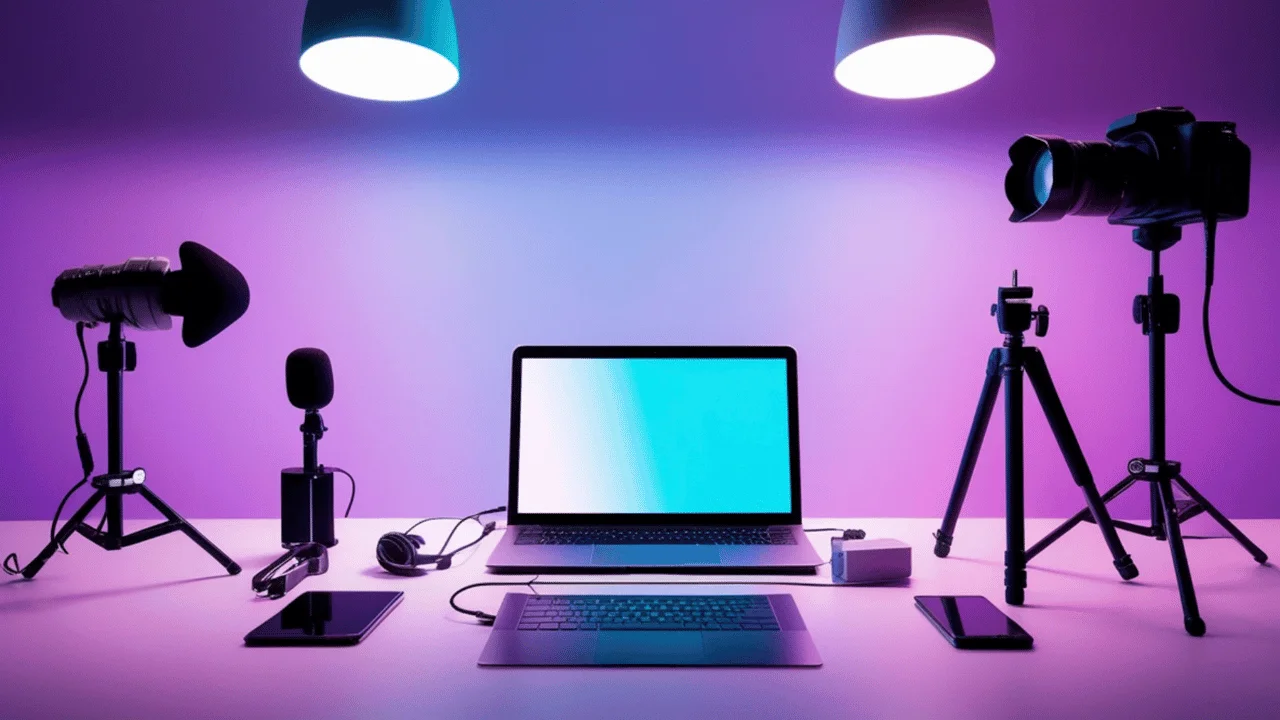
A simple combination of a tripod, a key light, a wireless microphone, and a small accent light will land you right around that budget, and there are plenty of solid options in each category that won’t break the bank.
Here’s what a sample budget might look like, using the picks above:
| Item | Approx. Cost |
|---|---|
| Sensyne 62“ Tripod | $18 |
| Torsium 12“ LED Light | $30 |
| PQRQP Wireless Mic | $28 |
| RGB Sunset Projector | $18 |
| Total | ≈ $94 |
If that’s a little over your limit, swapping the Neewer panel for the Torsium 12“ LED light or skipping the accent light entirely brings you comfortably back under $100, without giving up anything that actually affects how you look or sound on camera.
Similar alternatives in each category will work just as well because the specific brand matters far less than making sure each category (audio, lighting, and stabilization) is covered.
If you can’t buy everything at once, and most people can’t, it helps to know where to start.
Audio should come first, since it has the biggest impact on how professional your content feels.
Lighting comes next, followed by a tripod to keep your shots steady, and accent lighting last, since it’s a nice touch rather than a necessity.
Spending in this order means every dollar you put in gives you the biggest possible improvement before you move on to the next thing.
Small accessories that make recording a little easier
Once your core setup is in place, there’s a whole category of small, inexpensive tools that make the actual process of recording smoother, even though none of them are strictly necessary.
Framing tools like a smartwatch that lets you preview your shot, a small mirror propped behind your phone, or an external monitor all help you check your framing when you’re filming yourself and can’t glance at a normal screen.
Handy extras like a magnetic phone grip, a Bluetooth shutter remote, a power bank, or an SD card reader solve small annoyances that add up over time, especially if you’re filming for long stretches or moving between locations.
Recording accessories
PGYTECH CreateMate SD Card Reader
Approx. price: $20 to $30

If you regularly move footage from a camera or drone onto your phone or laptop, this is the kind of small purchase that saves you real time.
It transfers files quickly thanks to its fast USB-C connection, and it works with both SD and microSD cards, so you’re not stuck buying separate readers for different devices.
What people tend to love most, though, is the built-in case, so your cards stay organized and protected in one place instead of loose in the bottom of a bag, and the whole thing is compact enough to just live in your pocket until you need it.
Anker 10,000mAh Power Bank
Approx. price: $20 to $30

Long recording sessions have a way of draining your phone faster than you’d expect, especially if you’re also running a light or a wireless mic off the same device.
A power bank like this keeps everything charged through a full session, and a fast-charging model can take your phone from nearly empty to over half charged in the time it takes to grab a coffee.
Being able to charge both your phone and the bank itself through the same type of cable is a small detail, but it means one less cord to keep track of, which matters more than it sounds like when you’re already juggling a tripod, a mic, and a light.
Bluetooth Remote Shutter
Approx. price: $8 to $15

This solves a very specific, very common problem of reaching over to tap your phone to start recording, which almost always introduces a little shake right at the start of your shot.
With a remote, you can start and stop from a few feet away without touching the phone at all, which is especially handy if you’re filming yourself solo and don’t want to keep walking back and forth.
Editing and workflow tools
On the editing side, you genuinely don’t need expensive software to get started. Free tools like CapCut are great for fast edits, captions, and short-form content, DaVinci Resolve offers professional-level editing and color grading without a subscription.
And Adobe Express is handy for quick graphics and thumbnails if you’re on a paid plan. These tools speed up your workflow, but none of them are required to publish your first video.
7 beginner mistakes that make videos look cheap
A handful of small habits are responsible for most of the “amateur” feeling in beginner videos, and the good news is that every single one of them is free to fix.
- Filming with a bright window directly behind you turns you into a silhouette.
- Sitting flush against a wall flattens your shot and removes any sense of depth.
- Relying on your phone’s built-in microphone picks up far more room noise than you’d expect.
- Recording under harsh ceiling lights creates unflattering shadows under your eyes.
- Holding your phone by hand introduces shake that’s distracting even when it’s subtle.
- A cluttered background pulls attention away from you and onto whatever’s behind you.
- And buying gear before you’ve learned the fundamentals often means spending money on the wrong things entirely, or not knowing how to get the most out of what you bought.
Your quick setup checklist
Before you hit record, it’s worth running through a short mental checklist:
- clean up your background,
- sit three to six feet from the wall,
- set your camera at eye level,
- position your key light at roughly 45 degrees,
- check that your microphone is working and positioned well,
- lock your focus and exposure,
- and do a short test recording before you commit to the real thing.
Running through these steps takes less than two minutes, but it will save you from re-recording something later because of a problem you could have caught up front.
Consistency beats expensive gear, every time
If there’s one thing worth taking away from all of this, it’s that great videos come from solid fundamentals, not from expensive equipment.
Learning to work with light, sound, and composition will take you further than any single purchase ever could.
A simple $100 setup that you actually use week after week will outperform a $2000 setup that sits in a closet because it felt like too much pressure to use.
So here’s a genuine question for you: what’s the very first thing you’re going to improve in your current setup, whether that’s tidying up your background, moving closer to a window, or finally testing out your earbuds as a microphone?
If you found this useful, subscribe for more practical, budget-friendly systems built for people who’d rather create consistently than chase perfection.